สำหรับการติดตั้ง Linux UBUNTU แล้ว จะไม่มีให้กำหนดรหัสผ่าน ของ root นั้น แต่เราสามารถกำหนดได้โดยวิธีดังนี้
login ด้วย user ของเราที่กำหนดไว้
แล้วพิมพ์แบบนี้
$sudo passwd root
ใส่รหัสผ่านของ user เราก่อน พอขึ้นข้อความ
Enter new UNIX password:
Retype new UNIX password:
ก็ใส่รหัสผ่านของ root ได้เลย
สำหรับการกำหนดให้ sudo ไม่ต้องถามรหัสผ่านเวลาใช้ sudo
สั่ง sudo pico /etc/sudoers (ระบบจะถามรหัสผ่านก่อน)
ใส่บรรทัด myusername ALL= NOPASSWD: ALL (myusername คือ user ของเรา)
สมมุติ ว่าตอนเราติดตั้งได้สร้าง user คือ paitoon
# /etc/sudoers
#
# This file MUST be edited with the 'visudo' command as root.
#
# See the man page for details on how to write a sudoers file.
# Host alias specification
# User alias specification
# Cmnd alias specification
# Defaults
Defaults !lecture,tty_tickets,!fqdn
# User privilege specification
root ALL=(ALL) ALL
paitoon ALL= NOPASSWD: ALL
# Members of the admin group may gain root privileges
#%admin ALL=(ALL) ALL
ref: http://mrkohkoh.exteen.com/20061015/password-root-ubuntu
Tuesday, August 30, 2011

Wednesday, August 10, 2011
The evaluation period for Microsoft Lync Server 2010 is about to expire
Updating From the Evaluation Version of Microsoft Lync Server 2010
If you have installed the Evaluation version of Microsoft Lync Server 2010, you will eventually need to update that installation a licensed copy of the software; that's because the evaluation version expires 180 days after it was installed. However, you will not need to completely uninstall the evaluation version and then install the licensed version. Instead, after you have obtained a valid licensing key, you can update the evaluation version of Lync Server 2010 by carrying out the following procedure on each computer acting as a Lync Server Front End Server, Director, or Edge Server. Note that you do not have to update computers carrying out other server roles, such as a Monitoring Server or Archiving Server.
- Lync Server Management Shell
- msiexec.exe /fvomus server.msi EVALTOFULL=1 /qb
Note that you might need to specify the full path to the file server.msi. This file can be found in the Setup folder of the Lync Server Volume media installation files
- Enable-CsComputer
- Get-CsServerVersion
will analyze the local computer and report back one of the following:
That the Lync Server volume license key has been installed on the computer, meaning that no updating is necessary.
That the Lync Server evaluation license key has been installed, meaning that the computer must be updated.
That no volume license key is required on the computer. Updating from the evaluation version to the licensed version is only required on Front End Servers, Directors, and Edge Servers.
Ref : http://technet.microsoft.com/en-us/library/gg521005.aspx
If you have installed the Evaluation version of Microsoft Lync Server 2010, you will eventually need to update that installation a licensed copy of the software; that's because the evaluation version expires 180 days after it was installed. However, you will not need to completely uninstall the evaluation version and then install the licensed version. Instead, after you have obtained a valid licensing key, you can update the evaluation version of Lync Server 2010 by carrying out the following procedure on each computer acting as a Lync Server Front End Server, Director, or Edge Server. Note that you do not have to update computers carrying out other server roles, such as a Monitoring Server or Archiving Server.
- Lync Server Management Shell
- msiexec.exe /fvomus server.msi EVALTOFULL=1 /qb
Note that you might need to specify the full path to the file server.msi. This file can be found in the Setup folder of the Lync Server Volume media installation files
- Enable-CsComputer
- Get-CsServerVersion
will analyze the local computer and report back one of the following:
That the Lync Server volume license key has been installed on the computer, meaning that no updating is necessary.
That the Lync Server evaluation license key has been installed, meaning that the computer must be updated.
That no volume license key is required on the computer. Updating from the evaluation version to the licensed version is only required on Front End Servers, Directors, and Edge Servers.
Ref : http://technet.microsoft.com/en-us/library/gg521005.aspx
Monday, August 01, 2011
Sony 32CX520 LCD TV
ถอย Sony 32CX520 LCD TV ที่งาน Power Buy Expo 2011 เนื่องจาก 14 นิ้วตัวเก่าไม่มีภาพมีแต่เสียงลองย้ำลายปริ๊นแล้วไม่หายจึงตัดใจ


ขนาดของจอ LCD 32 นิ้ว (81 ซ.ม.) 16:9
ระบบ TV Digital: DVB-T Analog: B/G, D/K, I, L, M
ระบบสี NTSC 3.58, NTSC 4.43, PAL, SECAM
สัญญาณวีดีโอ 480/60i, 480/60p, 576/50i, 576/50p, 720/50p, 720/60p, 1080/50i, 1080/60i, 1080/24p (HDMI™ only), 1080/50p (HDMI™ / Component), 1080/60p (HDMI™ / Component)
ภาพ
ความละเอียดในการแสดงผล Full HD 1080 (1920 x 1080)
วงจรประมวลผลภาพ ระบบประมวลผลภาพ X-Reality
ประเภทหลอดแบ็คไลท์ CCFL
Live Colour™ ใช่
Deep Color ใช่
Intelligent Image Enhancer ใช่
Intelligent MPEG Noise Reduction ใช่
Advanced Contrast Enhancer (ACE) ใช่
24P True Cinema™ ใช่
PhotoTV HD ใช่
มุมมอง 178° (ขวา/ซ้าย), 178° (บน/ล่าง)
รูปแบบจอภาพ TV: Full/ Normal/ Wide Zoom/ Zoom/ Caption/ 14:9, PC: Full 1/ Full 2/ Normal
โหมดภาพ Vivid/ Standard/ Custom/ Cinema/ Game-Standard/ Game-Original/ Graphics/ Sports/ Animation/ Photo-Vivid/ Photo-Standard/ Photo-Original/ Photo-Custom
CineMotion/Film Mode/Cinema Drive ใช่
3D Comb Filter ใช่
เสียง
โหมดเสียง Dynamic / Standard / Clear Voice
โหมดเสียงเซอร์ราวด์ ภาพยนตร์ / เพลง / กีฬา / เกม
Sound Enhancer ใช่
S-Master ใช่
S-Force S-Force Front Surround 3D
Dolby® Dolby® Digital/ Dolby® Digital Plus/ Dolby® Pulse
เสียงแบบ Simulated Stereo ใช่
ระบบสเตอริโอ NICAM, A2
กำลังขับเสียง 20วัตต์ (10วัตต์ x 2)
ช่องต่อสัญญาณ
HDMI™ / Audio In 4 (1 ข้าง/ 3 หลัง)
USB 2.0 2 (ข้าง)
การเชื่อมต่อ Ethernet 1 (หลัง)
ช่องต่อเข้าวีดีโอ Composite 2 (หลัง/ 1 ไฮบริด)
ช่องต่อเข้าวีดีโอ Component 1 (หลัง/ ไฮบริด)
ช่องต่อเข้า RF 1 (หลัง)
ช่องต่อเข้า PC HD15 1 (ข้าง)
Digital Audio Output(s) 1 (หลัง)
Audio Out 1 (ข้าง)
Headphone Out 1 (ข้าง)
คุณสมบัติอื่นๆ
BRAVIA Sync ใช่
DLNA ใช่
Photo MAP ใช่
Quick Start & Viewing ใช่
Remote Keyboard (VAIO) ใช่
Picture Frame Mode ใช่
การเล่นไฟล์ผ่าน USB ใช่ (วีดีโอ, เพลง, ภาพนิ่ง)
เลือกฉาก Photo/ Music/ Cinema/ Game/ Graphics/ Sports/ Animation
การควบคุมสิทธิ์การเล่น ใช่
นาฬิกา ใช่
ตั้งเวลา Sleep Timer ใช่
ตั้งเวลาเปิด/ ปิด ใช่
Teletext ใช่ (2000 หน้า)
PAP (Picture And Picture) PAP (ปรับได้)
PIP (ภาพนิ่งซ้อนในภาพนิ่ง) ใช่
ปรับหมุนซ้าย-ขวา / ปรับก้ม-เงย ใช่ (ซ้าย 20°/ ขวา 20°) / -
คุณสมบัติด้านเน็ตเวิร์ค
Wi-Fi Direct Network Update (ต้องเชื่อมต่อผ่าน Wi-Fi adaptor UWA-BR100)
Skype™ Ready ใช่ (ต้องใช้กล้อง CMU-BR100)
TrackID™ ใช่
Video Search ใช่
Media Remote ใช่ (ผ่านการอัพเดท firmware)
What's New ใช่ (ผ่านการอัพเดท firmware)
ความบันเทิง
BRAVIA Internet Video ใช่
BRAVIA Internet Widgets ใช่
Wi-Fi Wireless LAN Ready (ต้องเชื่อมต่อผ่าน Wi-Fi adaptor UWA-BR100)
ฟังก์ชั่นสำหรับการประหยัดพลังงาน
โหมดการปิด Backlight ใช่
Presence Sensor ใช่
ตัวตรวจจับสัญญาณแสง ใช่
วัสดุหีบห่อ กล่องแบบรีไซเคิล (มากกว่า 70%)
ทั่วไป
ความต้องการพลังงาน AC 110-240V, 50/60Hz
การกินไฟ ประมาณ 109 วัตต์ (ขณะทำงาน)
การกินไฟขณะปิดเครื่อง ประมาณ 0.25W
ขนาด (กว้าง x ยาว x ลึก) ม.ม. พร้อมขาตั้ง ประมาณ 799 x 532 x 230 มม.
ขนาด (กว้าง x ยาว x ลึก) ม.ม. ไม่มีขาตั้ง ประมาณ 799 x 502 x 70 มม.
ขนาด (กว้าง x ยาว x ลึก) ม.ม. พร้อมขาตั้ง ประมาณ 11.4 กก.
น้ำหนักโดยไม่มีขาตั้ง ประมาณ 8.7 กก.
อุปกรณ์เสริมที่มาพร้อมตัวเครื่อง
รีโมทควบคุมการทำงาน RM-GD020
แบตเตอรี่ 2 x AAA
จากนั้นก็อัพเดตของซอฟต์แวร์ระบบ (เวอร์ชั่น 3.121GAA) เนื่องจากของเดิมเป็น 2 กว่าๆ
สิ่งที่ได้มาก็ตามนี้
- Skype
- Twitter
- Facebook
- Media remote
- VAIO Remote Keyboard
- Audio Theatre Control Widget
ขั้นตอนการ up firmware ดูได้ที่ http://www.sony.co.th/support/download/450329
review TV ดูได้ที่
http://www.lcdtvthailand.com/review/detail.asp?desc=1¶m_id=767


ขนาดของจอ LCD 32 นิ้ว (81 ซ.ม.) 16:9
ระบบ TV Digital: DVB-T Analog: B/G, D/K, I, L, M
ระบบสี NTSC 3.58, NTSC 4.43, PAL, SECAM
สัญญาณวีดีโอ 480/60i, 480/60p, 576/50i, 576/50p, 720/50p, 720/60p, 1080/50i, 1080/60i, 1080/24p (HDMI™ only), 1080/50p (HDMI™ / Component), 1080/60p (HDMI™ / Component)
ภาพ
ความละเอียดในการแสดงผล Full HD 1080 (1920 x 1080)
วงจรประมวลผลภาพ ระบบประมวลผลภาพ X-Reality
ประเภทหลอดแบ็คไลท์ CCFL
Live Colour™ ใช่
Deep Color ใช่
Intelligent Image Enhancer ใช่
Intelligent MPEG Noise Reduction ใช่
Advanced Contrast Enhancer (ACE) ใช่
24P True Cinema™ ใช่
PhotoTV HD ใช่
มุมมอง 178° (ขวา/ซ้าย), 178° (บน/ล่าง)
รูปแบบจอภาพ TV: Full/ Normal/ Wide Zoom/ Zoom/ Caption/ 14:9, PC: Full 1/ Full 2/ Normal
โหมดภาพ Vivid/ Standard/ Custom/ Cinema/ Game-Standard/ Game-Original/ Graphics/ Sports/ Animation/ Photo-Vivid/ Photo-Standard/ Photo-Original/ Photo-Custom
CineMotion/Film Mode/Cinema Drive ใช่
3D Comb Filter ใช่
เสียง
โหมดเสียง Dynamic / Standard / Clear Voice
โหมดเสียงเซอร์ราวด์ ภาพยนตร์ / เพลง / กีฬา / เกม
Sound Enhancer ใช่
S-Master ใช่
S-Force S-Force Front Surround 3D
Dolby® Dolby® Digital/ Dolby® Digital Plus/ Dolby® Pulse
เสียงแบบ Simulated Stereo ใช่
ระบบสเตอริโอ NICAM, A2
กำลังขับเสียง 20วัตต์ (10วัตต์ x 2)
ช่องต่อสัญญาณ
HDMI™ / Audio In 4 (1 ข้าง/ 3 หลัง)
USB 2.0 2 (ข้าง)
การเชื่อมต่อ Ethernet 1 (หลัง)
ช่องต่อเข้าวีดีโอ Composite 2 (หลัง/ 1 ไฮบริด)
ช่องต่อเข้าวีดีโอ Component 1 (หลัง/ ไฮบริด)
ช่องต่อเข้า RF 1 (หลัง)
ช่องต่อเข้า PC HD15 1 (ข้าง)
Digital Audio Output(s) 1 (หลัง)
Audio Out 1 (ข้าง)
Headphone Out 1 (ข้าง)
คุณสมบัติอื่นๆ
BRAVIA Sync ใช่
DLNA ใช่
Photo MAP ใช่
Quick Start & Viewing ใช่
Remote Keyboard (VAIO) ใช่
Picture Frame Mode ใช่
การเล่นไฟล์ผ่าน USB ใช่ (วีดีโอ, เพลง, ภาพนิ่ง)
เลือกฉาก Photo/ Music/ Cinema/ Game/ Graphics/ Sports/ Animation
การควบคุมสิทธิ์การเล่น ใช่
นาฬิกา ใช่
ตั้งเวลา Sleep Timer ใช่
ตั้งเวลาเปิด/ ปิด ใช่
Teletext ใช่ (2000 หน้า)
PAP (Picture And Picture) PAP (ปรับได้)
PIP (ภาพนิ่งซ้อนในภาพนิ่ง) ใช่
ปรับหมุนซ้าย-ขวา / ปรับก้ม-เงย ใช่ (ซ้าย 20°/ ขวา 20°) / -
คุณสมบัติด้านเน็ตเวิร์ค
Wi-Fi Direct Network Update (ต้องเชื่อมต่อผ่าน Wi-Fi adaptor UWA-BR100)
Skype™ Ready ใช่ (ต้องใช้กล้อง CMU-BR100)
TrackID™ ใช่
Video Search ใช่
Media Remote ใช่ (ผ่านการอัพเดท firmware)
What's New ใช่ (ผ่านการอัพเดท firmware)
ความบันเทิง
BRAVIA Internet Video ใช่
BRAVIA Internet Widgets ใช่
Wi-Fi Wireless LAN Ready (ต้องเชื่อมต่อผ่าน Wi-Fi adaptor UWA-BR100)
ฟังก์ชั่นสำหรับการประหยัดพลังงาน
โหมดการปิด Backlight ใช่
Presence Sensor ใช่
ตัวตรวจจับสัญญาณแสง ใช่
วัสดุหีบห่อ กล่องแบบรีไซเคิล (มากกว่า 70%)
ทั่วไป
ความต้องการพลังงาน AC 110-240V, 50/60Hz
การกินไฟ ประมาณ 109 วัตต์ (ขณะทำงาน)
การกินไฟขณะปิดเครื่อง ประมาณ 0.25W
ขนาด (กว้าง x ยาว x ลึก) ม.ม. พร้อมขาตั้ง ประมาณ 799 x 532 x 230 มม.
ขนาด (กว้าง x ยาว x ลึก) ม.ม. ไม่มีขาตั้ง ประมาณ 799 x 502 x 70 มม.
ขนาด (กว้าง x ยาว x ลึก) ม.ม. พร้อมขาตั้ง ประมาณ 11.4 กก.
น้ำหนักโดยไม่มีขาตั้ง ประมาณ 8.7 กก.
อุปกรณ์เสริมที่มาพร้อมตัวเครื่อง
รีโมทควบคุมการทำงาน RM-GD020
แบตเตอรี่ 2 x AAA
จากนั้นก็อัพเดตของซอฟต์แวร์ระบบ (เวอร์ชั่น 3.121GAA) เนื่องจากของเดิมเป็น 2 กว่าๆ
สิ่งที่ได้มาก็ตามนี้
- Skype
- Media remote
- VAIO Remote Keyboard
- Audio Theatre Control Widget
ขั้นตอนการ up firmware ดูได้ที่ http://www.sony.co.th/support/download/450329
review TV ดูได้ที่
http://www.lcdtvthailand.com/review/detail.asp?desc=1¶m_id=767
Lync Control Panel
ในการเข้าหน้า Lync Control Panel แล้วขึ้นข้อความ HTTP Error 403.14 - Forbidden หรือว่า permission ให้แก้โดยทำการ trust site นั้นซะ หรือเข้าทาง website ที่เครื่องอื่นโดยผ่าน https://Server.domain.com/cscp ก็ได้ แต่ต้อง trust เช่นกัน
Friday, May 20, 2011
Windows Server 2008 R2 Evaluation (180 days)
How to manually rearm the 10 day activation grace period
When the initial 10-day activation period nears its end, you can run the Slmgr.vbs script to reset it back to 10 days. To do this, follow these steps:
1. Click Start, and then click Command Prompt.
2. Type slmgr.vbs -dli, and then press ENTER to check the current status of your activation period.
3. To reset the activation period, type slmgr.vbs –rearm, and then press ENTER.
4. Restart the computer.
This resets the activation period to 10 days, and can be used up to five times. After this you will need to either activate or reinstall the evaluation.
When the initial 10-day activation period nears its end, you can run the Slmgr.vbs script to reset it back to 10 days. To do this, follow these steps:
This resets the activation period to 10 days, and can be used up to five times. After this you will need to either activate or reinstall the evaluation.
Wednesday, May 18, 2011
Remote Server Administration Tools (RSAT)
Remote Server Administration Tools (RSAT) for Windows 7 Service Pack 1 (SP1) Available for Download
ไมโครซอฟท์ออก Remote Server Administration Tools (RSAT) สำหรับ Windows 7 Service Pack 1 (SP1)
Remote Server Administration Tools (RSAT) สำหรับ Windows 7 SP1 เป็นเครื่องมือฟรีที่ไมโครซอฟท์พัฒนาขึ้นมาเพื่อให้แอดมินใช้จัดการหน้าที่และคุณสมบัติ (Roles and Features) บนเครื่องคอมพิวเตอร์ที่ใช้ระบบปฏิบัติการ Windows Server 2008 R2 SP1 หรือ Windows Server 2008 R2 หรือจัดการหน้าที่และคุณสมบัติ (บางอย่าง) ของ Windows Server 2008 และ Windows Server 2003 ในแบบรีโมทในสภาพแวดล้อมแบบ Active Directory Domain Services (AD DS) จากเครื่องคอมพิวเตอร์ที่ใช้ระบบปฏิบัติการ Windows 7 หรือ Windows 7 SP1
RSAT มีการทำงานลักษณะเดียวกันกับเครื่องมือ Administration Tools Pack (Adminpak) สำหรับ Window Server 2003 และ RSAT สำหรับ Windows Vista SP1 โดย RSAT สามารถรองรับการจัดการหน้าที่และคุณสมบัติบน Windows Server 2008 R2 SP1 หรือ Windows Server 2008 R2 ทั้งที่ติดตั้งแบบ Server Core และ Full Installation แบบรีโมทได้อย่างสมบูรณ์ ในขณะที่สามารถจัดการหน้าที่และคุณสมบัติบางอย่างของ Windows Server 2008 และ Windows Server 2003 (ไม่มีโหมด Server Core) ในแบบรีโมท
Reference :
http://thaiwinadmin.blogspot.com/2011/04/rsat-for-windows-7-sp1.html
http://www.microsoft.com/downloads/en/details.aspx?FamilyID=7d2f6ad7-656b-4313-a005-4e344e43997d
ไมโครซอฟท์ออก Remote Server Administration Tools (RSAT) สำหรับ Windows 7 Service Pack 1 (SP1)
Remote Server Administration Tools (RSAT) สำหรับ Windows 7 SP1 เป็นเครื่องมือฟรีที่ไมโครซอฟท์พัฒนาขึ้นมาเพื่อให้แอดมินใช้จัดการหน้าที่และคุณสมบัติ (Roles and Features) บนเครื่องคอมพิวเตอร์ที่ใช้ระบบปฏิบัติการ Windows Server 2008 R2 SP1 หรือ Windows Server 2008 R2 หรือจัดการหน้าที่และคุณสมบัติ (บางอย่าง) ของ Windows Server 2008 และ Windows Server 2003 ในแบบรีโมทในสภาพแวดล้อมแบบ Active Directory Domain Services (AD DS) จากเครื่องคอมพิวเตอร์ที่ใช้ระบบปฏิบัติการ Windows 7 หรือ Windows 7 SP1
RSAT มีการทำงานลักษณะเดียวกันกับเครื่องมือ Administration Tools Pack (Adminpak) สำหรับ Window Server 2003 และ RSAT สำหรับ Windows Vista SP1 โดย RSAT สามารถรองรับการจัดการหน้าที่และคุณสมบัติบน Windows Server 2008 R2 SP1 หรือ Windows Server 2008 R2 ทั้งที่ติดตั้งแบบ Server Core และ Full Installation แบบรีโมทได้อย่างสมบูรณ์ ในขณะที่สามารถจัดการหน้าที่และคุณสมบัติบางอย่างของ Windows Server 2008 และ Windows Server 2003 (ไม่มีโหมด Server Core) ในแบบรีโมท
Reference :
http://thaiwinadmin.blogspot.com/2011/04/rsat-for-windows-7-sp1.html
http://www.microsoft.com/downloads/en/details.aspx?FamilyID=7d2f6ad7-656b-4313-a005-4e344e43997d
Monday, May 09, 2011
ราชบุรี
เพื่อนแต่งงานที่ราชบุรีก็เลยหาโอกาศแวะเที่ยวซักหน่อย เส้นทาง กรุงเทพ-จอมบึง
ตื่นแต่เช้า ออก 6.30 ออกพระรามเก้าขึ้นทางด่วน มุ่งตรงคาวคะนอง ->สมุทรสงคราม
แวะ ตลาดน้ำดำเนินสะดวกก่อน 8.00
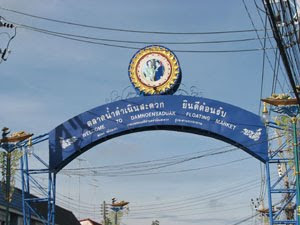
 คนไม่ค่อยเยอะเท่าไหร่ หรือว่ามาผิดเวลาก็ม่ายรู้
 คิดว่าอัมพวาน่าเที่ยวกว่าห่างกัน 10 กว่าโลได้
วิ่งต่อเข้าตัวเมืองราชบุรี วนหลายรอบเข้าทั้ง โรบินสัน lotus ซันนี่ (หลง)
สุดท้ายหาทางออกไปจอมบึงประมาณเที่ยง มุ่งตรงเขาบิน ระหว่างทางเจอฝนหนักเหมือนกัน
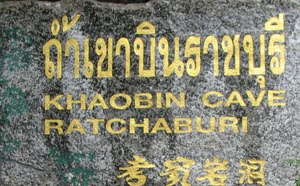 ก่อนเข้า หนาวมากเนื่องจากฝนตกข้างนอกแต่เวลาเข้าไปกลับ ร้อนมาก เหงื่อเต็มเลย อากาศเบาบาง
เดินตามทางตามป้าย
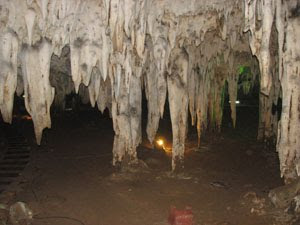
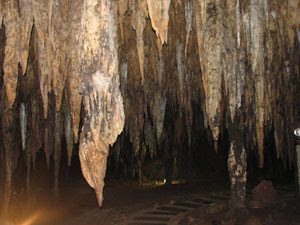
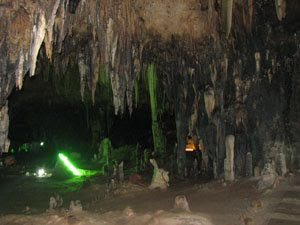
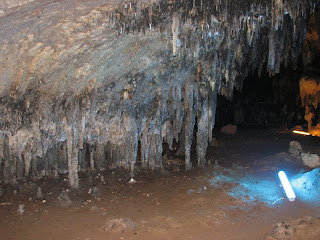
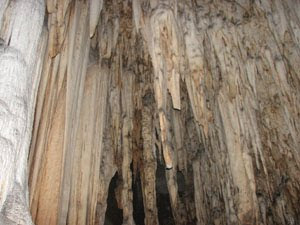 มุ่งตรงงานแต่ง ที่จอมบึง
ขากลับวิ่งเข้านครปฐม ปิ่นเกล้า คู่ขนานชนนณี ขึ้นทางด่วนตรงยมราชไปส่งพี่ที่รามอินทรา
ทีแรกว่าจะกลับทางเดิมแต่ดัน ขึ้นสะพานข้ามแยกที่จะเลี้ยวขวาเข้า ดำเนินสะดวก ก็เลยต้องเลยตามเลย
ตื่นแต่เช้า ออก 6.30 ออกพระรามเก้าขึ้นทางด่วน มุ่งตรงคาวคะนอง ->สมุทรสงคราม
แวะ ตลาดน้ำดำเนินสะดวกก่อน 8.00

 คนไม่ค่อยเยอะเท่าไหร่ หรือว่ามาผิดเวลาก็ม่ายรู้
 คิดว่าอัมพวาน่าเที่ยวกว่าห่างกัน 10 กว่าโลได้
วิ่งต่อเข้าตัวเมืองราชบุรี วนหลายรอบเข้าทั้ง โรบินสัน lotus ซันนี่ (หลง)
สุดท้ายหาทางออกไปจอมบึงประมาณเที่ยง มุ่งตรงเขาบิน ระหว่างทางเจอฝนหนักเหมือนกัน
 ก่อนเข้า หนาวมากเนื่องจากฝนตกข้างนอกแต่เวลาเข้าไปกลับ ร้อนมาก เหงื่อเต็มเลย อากาศเบาบาง
เดินตามทางตามป้าย


 มุ่งตรงงานแต่ง ที่จอมบึง
ขากลับวิ่งเข้านครปฐม ปิ่นเกล้า คู่ขนานชนนณี ขึ้นทางด่วนตรงยมราชไปส่งพี่ที่รามอินทรา
ทีแรกว่าจะกลับทางเดิมแต่ดัน ขึ้นสะพานข้ามแยกที่จะเลี้ยวขวาเข้า ดำเนินสะดวก ก็เลยต้องเลยตามเลย
Thursday, April 28, 2011
เปลี่ยน harddisk ที่ลง windows7
เปลี่ยน Harddisk notebook จาก 250G เป็น 500G
250G
- 100m Boot ตอนลง window 7 แบ่งให้
- 50m->C
-100m ->data
-100m ->data
500G
- 60m->C
-140 ->data
-200m ->data
ขั้นตอนทำก็ใช้ ghost partition to partition จากนั้นก็ set active partition
แล้วก็ copy file ใน partition 100M ของเก่าซึ่งเป็น boot record ได้แก่(file ซ่อนอยู่)
Folder Boot
File bootmgr, BOOTSECT.BAK
ไปไว้ที่ Drive C ของ harddisk ตัวใหม่ จากนั้นใช้ BCDEdit ซึ่งอยู่ใน แผ่น hiren แก้ file ที่ชื่อ BCD ซึ่งอยู่ใน Folder Boot

Browser file BCD
แก้ไขในส่วนboot disk และ Partition จากนั้น save current

ขอบคุณข้อมูล
http://www.gggcomputer.com/10364
http://www.gggcomputer.com/9957

Wednesday, April 06, 2011
ล้างปีกผีเสื้อ กับ เช็ควาล์ว
ล้างปีกผีเสื้อ กับ เช็ควาล์ว

ถอดฝาครอบออกมาเช็ค วาล์ว แล้วก็มีเครื่องมือเป็นแผ่นสแตนเลน จิ้มๆเข้าไป

ผลออกมา เห็นช่างเขียนเลข
10 10 10 10 10 10 10 10
11 12 10 .. ... อะไรทำนองนี้แหละ ช่างบอกวาล์วไม่ยัน แล้วก็เช็คหัวเทียนช่างบอกปกติ ก็เลยล้างปีกผีเสื้อ(เห็นในกระทู้ แนะนำกันจัง เลยลองดูมั่ง)

ก่อนล้าง

ถอดออกมายังไม่เขอะเท่าไหร่ ก็จัดการล้างด้วย เบนซิน + แปรงสีฟัน จากนั้นประกอบแล้ว start เครื่อง ฟังเสียงเครื่องรู้สึกแน่นๆ ไม่รู้คิดไปเองป่าว
หลังล้าง

ตั้งรอบ 1000 ลองทั้ง gas และ oil เปิดแอร์ ทดสอบ สรุปรอบอยู่ที่ 900-1000 rpm จากนั้น ช่างก็ล้างเป่าฝุ่นห้องเครื่องโดยใช้ น้ำมันแล้วก็ลมเป่าตามซอกเครื่องให้(ขอบคุณมากครับ) เพราะวันก่อน หนูเอากระดูกอะไรมาทิ้งไว้ไม่รู้ แล้วก็มีอึด้วย แล้วก็ถามเรื่องการดูแลเครื่อง ช่างเขาก็ให้คำแนะนำดีครับ
สุดท้ายพาช่างนั่งไปลองรถ ก็ ok ครับ เร่งดี แต่รู้สึกช่วงเหยียบคลัชเปลี่ยนเกียร์เครื่องจะสั่น ช่างบอกเป็นที่ครัช ไว้วันหลังจะมาทำอีกครับค่าเสียหาย 1000 ครับ
ช่าง กิจ 0830892995 อู่ ไทเกอแท็กซี่ อยู่ ซ.กำเนิดทรัพย์ 2 ถ.เพชรพระราม (อยู่ระหว่าง พระรามเก้า กับเพชรบุรี)
แผนที่เอามาจาก http://www.fordfocusclub.com/forum/index.php?topic=8085.0
อู่อยู่ที่ จุด A


ถอดฝาครอบออกมาเช็ค วาล์ว แล้วก็มีเครื่องมือเป็นแผ่นสแตนเลน จิ้มๆเข้าไป

ผลออกมา เห็นช่างเขียนเลข
10 10 10 10 10 10 10 10
11 12 10 .. ... อะไรทำนองนี้แหละ ช่างบอกวาล์วไม่ยัน แล้วก็เช็คหัวเทียนช่างบอกปกติ ก็เลยล้างปีกผีเสื้อ(เห็นในกระทู้ แนะนำกันจัง เลยลองดูมั่ง)

ก่อนล้าง


ถอดออกมายังไม่เขอะเท่าไหร่ ก็จัดการล้างด้วย เบนซิน + แปรงสีฟัน จากนั้นประกอบแล้ว start เครื่อง ฟังเสียงเครื่องรู้สึกแน่นๆ ไม่รู้คิดไปเองป่าว
หลังล้าง

ตั้งรอบ 1000 ลองทั้ง gas และ oil เปิดแอร์ ทดสอบ สรุปรอบอยู่ที่ 900-1000 rpm จากนั้น ช่างก็ล้างเป่าฝุ่นห้องเครื่องโดยใช้ น้ำมันแล้วก็ลมเป่าตามซอกเครื่องให้(ขอบคุณมากครับ) เพราะวันก่อน หนูเอากระดูกอะไรมาทิ้งไว้ไม่รู้ แล้วก็มีอึด้วย แล้วก็ถามเรื่องการดูแลเครื่อง ช่างเขาก็ให้คำแนะนำดีครับ
สุดท้ายพาช่างนั่งไปลองรถ ก็ ok ครับ เร่งดี แต่รู้สึกช่วงเหยียบคลัชเปลี่ยนเกียร์เครื่องจะสั่น ช่างบอกเป็นที่ครัช ไว้วันหลังจะมาทำอีกครับค่าเสียหาย 1000 ครับ
ช่าง กิจ 0830892995 อู่ ไทเกอแท็กซี่ อยู่ ซ.กำเนิดทรัพย์ 2 ถ.เพชรพระราม (อยู่ระหว่าง พระรามเก้า กับเพชรบุรี)
แผนที่เอามาจาก http://www.fordfocusclub.com/forum/index.php?topic=8085.0
อู่อยู่ที่ จุด A

Monday, April 04, 2011


ต่อภาษีรถประจำปี
 ต่อภาษีรถประจำปี ขณะนี้สามารถต่อได้ที่ คาร์ฟูร์ 13 สาขา ได้แก่สาขา (Shop Thru for Tax) อำนวยความสะดวกในการชำระภาษีรถประจำปีแก่ประชาชนในวันเสาร์-อาทิตย์ ที่ห้างคาร์ฟูร์ 9 สาขา ได้แก่ สาขาลาดพร้าว รามอินทรา รัชดาภิเษก บางปะกอก สำโรง แจ้งวัฒนะ เพชรเกษม อ่อนนุช และสุขาภิบาล 3 บางใหญ่ บางบอน ศรีนครินทร์ และสุวินทวงศ์ รวมมีสาขาให้บริการทั้งสิ้น 13 สาขา โดยไม่เสียค่าใช้จ่าย เสาร์- อาทิตย์ก็เปิด กรณี รถเก๋ง รถปิคอัพ รถตู้ อายุการใช้งานเกิน 7 ปี หรือรถจักรยานยนต์ อายุการใช้งานเกิน 5 ปี จะต้องมีใบรับรองการตรวจสภาพรถจากสถานตรวจสภาพรถเอกชน (ตรอ.) มาแสดง ทั้งนี้ จะมีสมุดคู่มือจดทะเบียนรถหรือไม่ก็ได้ โดยเจ้าของรถจะได้รับเครื่องหมายการเสียภาษีประจำปี (ป้ายวงกลม) ทันที เช่นเดียวกับมาชำระที่กรมการขนส่งทางบก หรือสำนักงานขนส่งทั่วประเทศ
http://www.insurancedd.com/index.php?mo=3&art=552879
Thursday, March 31, 2011
Group Policy to hide a hard drive With Group Policy Objects in Windows

There is a “Hide these specified drives in My Computer” option that lets you hide specific drives.
This article describes how to use Local Group Policy to hind the C drive of a Terminal Services.
1. To open group policy, run gpedit.msc. Or start the Microsoft Management Console (MMC). On the Console menu, click Add/Remove Snap-in to add Policy Object (GPO) for the local computer.
2. Open the following sections: User Configuration, Administrative Templates, Windows Components, and Windows Explorer.
3. Double-click Hide these specified drives in My Computer.
4. Check Enabled under Hide these specified drives in My Computer check box (Figure).
5. Select Restrict C Drive only under Pick one of the following combinations.
6. Click OK to save the settings.
Monday, March 28, 2011
ต่อสาย แวคคั่ม


Sunday, March 27, 2011
หนูกัดสายยางในรถ
สงสัยจอดไว้นาน
ทีแรกเห็นเศษกระดูกไก่บ้าง ขี้หนูบ้างก็คิดว่า แค่มาทักทาย ที่ไหนได้ วันนี้ลงไปดูรถ กระจะดูเรื่อง พรบว่าหมดเมื่อไหร่ ก็เลยเปิดกระโปรงดูหน่อยแล้วกันเผื่อน้ำอะไรพร่องบ้างจะได้เติม เลยไปจ๊ะเอ๋ สาย ขาด เข้า
ไม่รู้ว่าเป็นสายอะไร แต่มันคงขาดจากขั้วต่อสามทางอีกด้านมันต่อมาจาก ออโต้ลูปเลี้ยงบ่าวาว คิดว่าน่าจะไปซื้อสายมาต่อเองก็น่าจะได้ แต่ว่า จะต่อตรงโดยไม่ใช่ บ่าวาว หรือป่าวเด่วดูอีกที เพราะเห็นมีคนบอกว่า ต่อออโต้ลูปเลี้ยงบ่าวาวไม่ดี


แต่ไอ้ตัวที่คล้ายมอเตอร์ ที่ ขั้วต่อสามทางต่อไปด้านบนมันคือตัวอะไรอ่ะ เห็นเป็น denso toyota อะไรนี่แหละ
ทีแรกเห็นเศษกระดูกไก่บ้าง ขี้หนูบ้างก็คิดว่า แค่มาทักทาย ที่ไหนได้ วันนี้ลงไปดูรถ กระจะดูเรื่อง พรบว่าหมดเมื่อไหร่ ก็เลยเปิดกระโปรงดูหน่อยแล้วกันเผื่อน้ำอะไรพร่องบ้างจะได้เติม เลยไปจ๊ะเอ๋ สาย ขาด เข้า
ไม่รู้ว่าเป็นสายอะไร แต่มันคงขาดจากขั้วต่อสามทางอีกด้านมันต่อมาจาก ออโต้ลูปเลี้ยงบ่าวาว คิดว่าน่าจะไปซื้อสายมาต่อเองก็น่าจะได้ แต่ว่า จะต่อตรงโดยไม่ใช่ บ่าวาว หรือป่าวเด่วดูอีกที เพราะเห็นมีคนบอกว่า ต่อออโต้ลูปเลี้ยงบ่าวาวไม่ดี


แต่ไอ้ตัวที่คล้ายมอเตอร์ ที่ ขั้วต่อสามทางต่อไปด้านบนมันคือตัวอะไรอ่ะ เห็นเป็น denso toyota อะไรนี่แหละ
Monday, March 21, 2011
เก็บบัตรเครดิต visa ได้

กำลังจะกดเงิน ตู้ ATM bank กรุงเทพ โดยเอา ATM ใส่ตู้ แต่ใส่ไม่เข้า เนื่องจากมีบัตรเครดิต standard charter visa เสียบคาไว้อยู่ จึงเริ่มมองหาเจ้าของ แต่ไม่มีในระแวกนั้นถามคนขายของเขาบอกรู้สึกว่าเป็น ชาย กดก่อนหน้านี้แต่ไม่รู้ไปไหนแล้ว เอาละซิ ทำไงหว่า เริ่มดูที่บัตรอีกครั้ง ชื่อก็ไม่มี มีแต่ตัวเลข ลายเซ็นก็ไม่มี(น่าเอาไปรูดซื้อของ) ยังพอมีเบอร์โทร ศูนย์ จึงโทรไปแจ้งให้ทางศูนย์ติดต่อเจ้าของบัตรแล้วโทรกลับมาจะได้เอาบัตรไปให้ 10 นาทีเสียงโทรศัพท์ดังขึ้น "ผมลืมบัตรไว้ที่ตู้ ATM พอดีคุยเพลิน...." ก็เลยถามข้อมูลนิดหน่อยแล้วก็เอาบัตรไปให้ แต่ดูเขาไม่ค่อยเดือดร้อนเท่าไหร่แฮะ
แม่สอนว่าใจเขาใจเรา ของของเขาเราอย่าไปเอา ของของเราถ้ามีมากก็แบ่งปันกัน
Saturday, March 05, 2011
Virtual disk ของ VM
Virtual disk
แบ่งออกเป็นหลายชนิด ตัวอย่างเช่น
* Single growable virtual disk ข้อมูลจะเก็บอยู่ที่ไฟล์ *.vmdk (สามารถปรับ config ได้)
* Growable virtual disk split in 2GB files
* Preallocated virtual disk ข้อมูลจะเก็บอยู่ที่ไฟล์ *.vmdk และ *-flat.vmdk (Disk เป็น Preallocated ในที่ setting )
* Preallocated virtual disk split in 2GB files
โดยที่ไฟล์ config จะอยู่ที่ไฟล์ *.vmx
ตัวอย่างแปลงให้เป็น single growable virtual disk
Code:
C:\Program Files\VMware\VMware Workstation>vmware-vdiskmanager.exe -r "W:\old.vmdk" -t 0 "W:\new.vmdk"
ตัวอย่างแปลงให้เป็น preallocated virtual disk
Code:
C:\Program Files\VMware\VMware Workstation>vmware-vdiskmanager.exe -r "W:\old.vmdk" -t 2 "W:\new.vmdk"
แบ่งออกเป็นหลายชนิด ตัวอย่างเช่น
* Single growable virtual disk ข้อมูลจะเก็บอยู่ที่ไฟล์ *.vmdk (สามารถปรับ config ได้)
* Growable virtual disk split in 2GB files
* Preallocated virtual disk ข้อมูลจะเก็บอยู่ที่ไฟล์ *.vmdk และ *-flat.vmdk (Disk เป็น Preallocated ในที่ setting )
* Preallocated virtual disk split in 2GB files
โดยที่ไฟล์ config จะอยู่ที่ไฟล์ *.vmx
ตัวอย่างแปลงให้เป็น single growable virtual disk
Code:
C:\Program Files\VMware\VMware Workstation>vmware-vdiskmanager.exe -r "W:\old.vmdk" -t 0 "W:\new.vmdk"
ตัวอย่างแปลงให้เป็น preallocated virtual disk
Code:
C:\Program Files\VMware\VMware Workstation>vmware-vdiskmanager.exe -r "W:\old.vmdk" -t 2 "W:\new.vmdk"
vm boot เร็วมากจนกด F2 ไม่ทัน
ปกติแล้วจะบูทเร็วมาก จนมองหน้า BIOS ไม่ทันเลย
ให้แก้ไขไฟล์ *.vmx
Code:
bios.bootDelay = "20000"
ให้แก้ไขไฟล์ *.vmx
Code:
bios.bootDelay = "20000"
Vmware error The file specified is not a virtual disk
The file specified is not a virtual disk
On products such as VMware Workstation and VMware Server, you need to use the vmware-vdiskmanager utility to create a new disk of the same type and size of the -flat.vmdk file.
Solve
vmware-vdiskmanager is in your /program files/vmware/workstation folder
Command
vmware-vdiskmanager.exe
For example, to create a 20 GB persistent size disk for use with Windows Server 2003 on the e: drive, run the command:
vmware-vdiskmanager.exe -c -s 20GB -a lsilogic -t 2 "e:\newdisk.vmdk"
or
Type "vmware-vdiskmanager -r (name of VMware disk) -t 2 (name of new disk)"
1พอเสร็จแล้วจะได้ file newdisk.vmdk และ newdisk-flat.vmdk ใน drive e:
2ให้สร้าง vm ขึ้นมาใหม่โดยใช้ชื่อ vm ที่เพิ่งสร้างไป คือ newdisk ระบบจะสร้าง file .vmx,vmdk ขึ้นมา
3 copy e:\newdisk.vmdk ทับ file ที่เพิ่มสร้างขั้นมา
Ref:
http://kb.vmware.com/selfservice/microsites/search.do?language=en_US&cmd=displayKC&externalId=1015634
On products such as VMware Workstation and VMware Server, you need to use the vmware-vdiskmanager utility to create a new disk of the same type and size of the -flat.vmdk file.
Solve
vmware-vdiskmanager is in your /program files/vmware/workstation folder
Command
vmware-vdiskmanager.exe
For example, to create a 20 GB persistent size disk for use with Windows Server 2003 on the e: drive, run the command:
vmware-vdiskmanager.exe -c -s 20GB -a lsilogic -t 2 "e:\newdisk.vmdk"
or
Type "vmware-vdiskmanager -r (name of VMware disk) -t 2 (name of new disk)"
1พอเสร็จแล้วจะได้ file
2ให้สร้าง vm ขึ้นมาใหม่โดยใช้ชื่อ vm ที่เพิ่งสร้างไป คือ newdisk ระบบจะสร้าง file .vmx,vmdk ขึ้นมา
3 copy e:\newdisk.vmdk ทับ file ที่เพิ่มสร้างขั้นมา
Ref:
http://kb.vmware.com/selfservice/microsites/search.do?language=en_US&cmd=displayKC&externalId=1015634
Thursday, February 24, 2011
Domain Controller ไม่ Duplicate หรือ dcpromo แล้วฟ้องว่า schema ไม่ sync
ให้ run dcdiag เพื่อตรวจสอบ
หากมีข้อความประมาณนี้
Testing server: Default-First-Site-Name\SERVER01
Starting test: Replications
[Replications Check,SERVER01] Inbound replication is disabled.
To correct, run "repadmin /options SERVER01 -DISABLE_INBOUND_REPL"
[Replications Check,SERVER01] Outbound replication is disabled.
To correct, run "repadmin /options SERVER01 -DISABLE_OUTBOUND_REPL"
......................... SERVER01 failed test Replications
Starting test: NCSecDesc
......................... SERVER01 passed test NCSecDesc
Starting test: NetLogons
......................... SERVER01 passed test NetLogons
ให้ใช้ command ที่ dos
"repadmin /options SERVER01 -DISABLE_INBOUND_REPL"
repadmin /options SERVER01 -DISABLE_OUTBOUND_REPL
จากนั้นใช้ dcpromo อีกครั้ง
Saturday, February 12, 2011
Backup IIS Config
Run the script using the command line cscript
Cscript c:\windows\system32\iisback.vbs /backup /b BKIIS /overwrite
The backup can be copied to a different location, copy all files in the
C:\Windows\system32\Metaback directory that are named what the backup was (i.e. BKIIS.*)
Subscribe to:
Posts (Atom)